
 Post by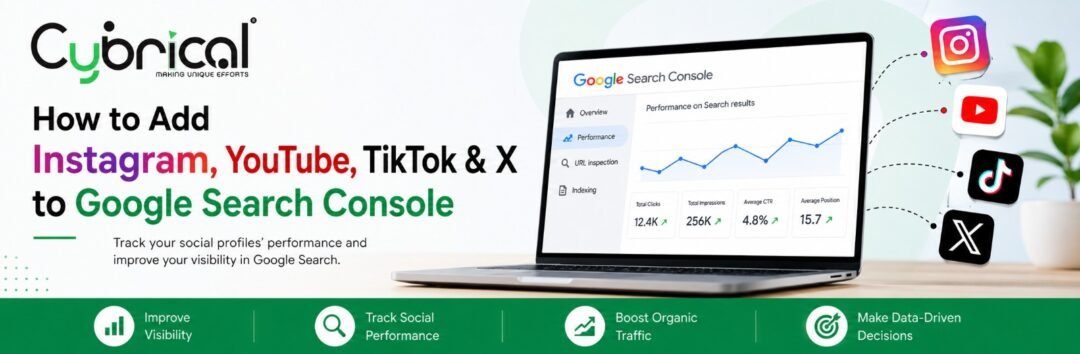
Google Search Console has expanded beyond traditional website tracking. With its new Platform Properties feature, creators, businesses, and marketers can now add supported social and video profiles including Instagram, TikTok, X, and YouTube to Search Console and monitor how their content performs across Google’s search ecosystem.
This is an important development for SEO because social media content is increasingly appearing in Google Search, Discover, and Google News. Instead of relying only on the analytics provided by each social platform, marketers can now see how Google itself is helping people discover that content.
What Are Google Search Console Platform Properties?
A platform property is a Search Console property created for a supported social media or video account rather than a traditional website.
Currently, Google supports:
- TikTok
- X
- YouTube
Each account or channel needs to be added as its own property. Google has now rolled out the feature globally.
For example, instead of monitoring only:
yourwebsite.com
you can also add your:
instagram.com/yourbrand
youtube.com/@yourbrand
tiktok.com/@yourbrand
x.com/yourbrand
Why Is This New Feature Important for SEO?
Previously, social media analytics mainly told you what was happening inside the platform.
For example, Instagram Insights can show how your Reel performs on Instagram. However, it doesn’t tell you how often that Reel is appearing in Google Search.Search Console’s platform properties provide another perspective: how Google users discover your social and video content.
You can use the data to understand:
- Which content receives Google impressions
- Which content generates clicks
- Which search queries are associated with your content
- Click-through rate (CTR)
- Average search position
- Traffic trends
- Content appearing in Google Search, Discover, and News when eligible
How to Add Instagram to Google Search Console
Adding a social profile follows a relatively straightforward process.
Step 1: Open Google Search Console
Sign in to your Google Search Console account.
Open the property selector from the navigation area.
Step 2: Select “Add Property”
Click Add property.
You should see the available property options, including supported platform properties.
Step 3: Select Instagram
Choose Instagram from the supported platform list and follow Google’s verification and authorization instructions.
You need to demonstrate that you control the relevant account before accessing its Search Console data.
Step 4: Complete Verification
Follow the on-screen instructions to authorize the connection.
Once verification is successful, the Instagram profile will appear as a property in your Search Console account.
How to Add a YouTube Channel
The process is similar for YouTube.
- Open Google Search Console.
- Open the property selector.
- Select Add property.
- Choose YouTube.
- Select the relevant channel and complete Google’s verification process.
- Open the newly created property once verification is complete.
You can then monitor how eligible YouTube content performs through Google’s search ecosystem.
How to Add TikTok to Search Console
To connect TikTok:
- Log in to Google Search Console.
- Select Add property.
- Choose TikTok.
- Select the account you want to connect.
- Follow the verification instructions.
- Complete the authorization process.
If you manage multiple TikTok accounts, each account can be added separately as its own platform property.
How to Add X to Google Search Console
For an X account:
- Open Google Search Console.
- Click Add property.
- Select X.
- Follow the account authorization steps.
- Complete verification.
- Access the X profile through the Search Console property selector.
The same approach applies when managing multiple supported platform accounts.
What Data Can You See?
Once the property is connected and data becomes available, Search Console can provide performance information such as:
| Metric | What It Tells You |
| Impressions | How often your content appeared in Google |
| Clicks | How many clicks your content received from Google |
| CTR | Percentage of impressions that resulted in clicks |
| Average Position | Average position of your content in relevant Google results |
| Search Queries | Searches associated with your content |
| Content Performance | Which posts or videos are gaining visibility |
Google notes that it can take a few days for data to appear after setting up a platform property.
Search Console Data Is Different From Social Media Analytics
One important point is that this feature does not replace Instagram Insights, TikTok Analytics, YouTube Analytics, or X analytics.
Search Console specifically shows how your content performs on Google.
For example, if a YouTube video receives 100,000 views inside YouTube, those views aren’t the same as Google Search clicks reported by Search Console.
This distinction is important when interpreting the data.
How SEO Professionals Can Use the New Data
The new platform properties can become another useful part of an SEO reporting strategy.
For example, an SEO professional could identify a particular Instagram Reel that receives significant Google impressions for a specific search topic.
That information could then be used to:
- Create related website content
- Develop supporting blog topics
- Optimize social captions
- Create additional videos around the topic
- Strengthen internal linking
- Build content around emerging search queries
- Compare which platforms are generating Google visibility
This creates a stronger connection between SEO and social media content strategy.
How Cybrical Tech Can Use This for Businesses
Cybrical Tech helps businesses build their digital presence through SEO, website development, content marketing, Google Business Profile optimization, and social media strategies.
The introduction of platform properties creates another opportunity for businesses to understand how their social and video content contributes to overall search visibility.
Rather than looking at website SEO and social media as completely separate activities, businesses can now evaluate how different content assets are being discovered through Google and use those insights to improve their broader digital strategy.
Final Thoughts
Google Search Console’s Platform Properties represent an important step toward a broader definition of search visibility.
SEO is no longer limited to measuring what happens on your website. Businesses can now gain additional insight into how their Instagram, TikTok, X, and YouTube content is discovered through Google.
The key is not simply to connect every social account and collect data. The real value comes from analyzing the queries, impressions, clicks, and content trends and using those insights to create better content across your digital presence.
Frequently Asked Questions
1. Can I add Instagram to Google Search Console?
Yes. Instagram is one of the platforms supported by Search Console’s new Platform Properties feature.
2. Which social media platforms can be added to Search Console?
Google currently supports Instagram, TikTok, X, and YouTube as platform properties.
3. Does adding social media to Search Console improve rankings?
No. Adding a social profile to Search Console is a measurement and reporting feature. It should not be treated as a direct Google ranking factor.
4. Does Search Console show my Instagram or TikTok engagement?
No. The platform property focuses on how your content performs through Google’s search ecosystem, rather than engagement occurring within Instagram or TikTok itself.
5. How long does it take for data to appear?
Google says it can take a few days after verification for data to begin appearing in the reports.
6. Can businesses use this feature without a website?
Yes. Platform properties allow eligible creators and publishers to track supported platform accounts directly, rather than requiring the account to be a property of their own website.